Category: Code
-
Increasing the Pulse Web client session timeout
By default the Pulse Web client sessions timeout after 20 min of inactivity. To update the timeout value:
-
Arc and Slice v3.2 are now available
A new version of Arc and Slice is now available to download. v3.2 includes a new Administration module to view all IBM Planning Analytics releases.
-
Arc and Slice – Feature list by releases
This article gathers the most popular new features of Arc and Slice by releases.
-
TM1py v1.9 is now available
A new version of TM1py is now available to download from the TM1py project on GitHub. We would like to thank Vinoth Kumar Ravi, Josh Robinson, gbryant-dev, Ray Price, Andrew Scheel, and Jordan Jeremy for their contributions to this release.
-

How Arc Can Supercharge Your Productivity
Arc is a piece of software designed to help IBM Planning Analytics (TM1) developers to increase their productivity without compromising the quality of their work. Since its launch in March 2018, over 500 developers have chosen Arc as their development tool of choice and they continue to benefit from the immense value that it provides.
-
Connecting Oracle NetSuite to TM1
Thanks to TM1py, there is no limit to ways to connect IBM Planning Analytics (TM1) with any data source on cloud or on-premise. This article explains the logic to write a Python script to connect Oracle NetSuite with TM1. The only thing you will need is one Python script.
-

Benefits of IBM PA Cloud
Next year will mark twenty years that the 2002 movie “Minority Report” was released.
-
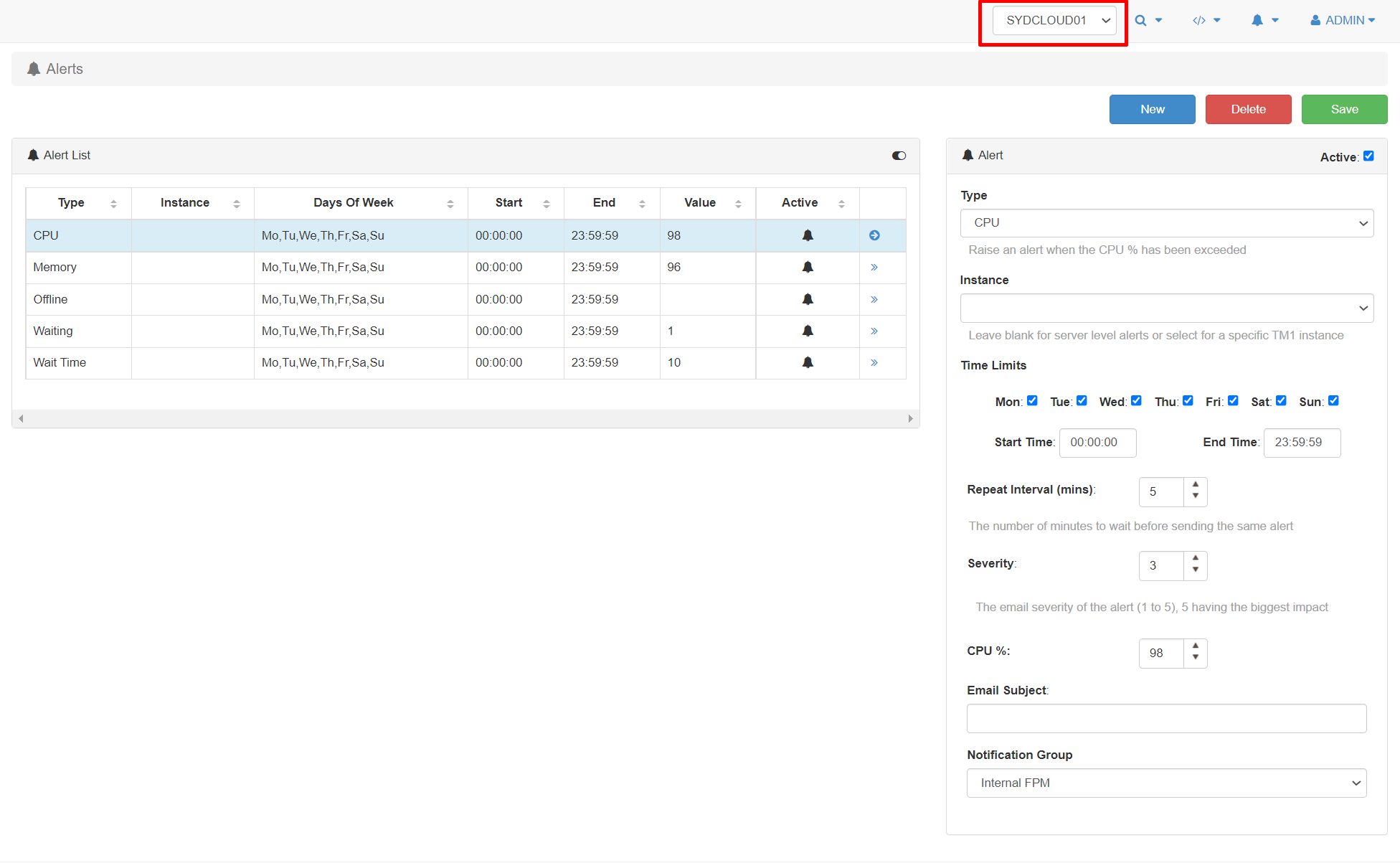
Creating a new Pulse alert
Pro-active Alerts can be configured based on multiple scenarios and triggers. Allowing you to rectify problems BEFORE they become an issue. Alert types include memory use, free disk space, wait time, TM1 crashes, error logs, message logs, run time, etc.
-
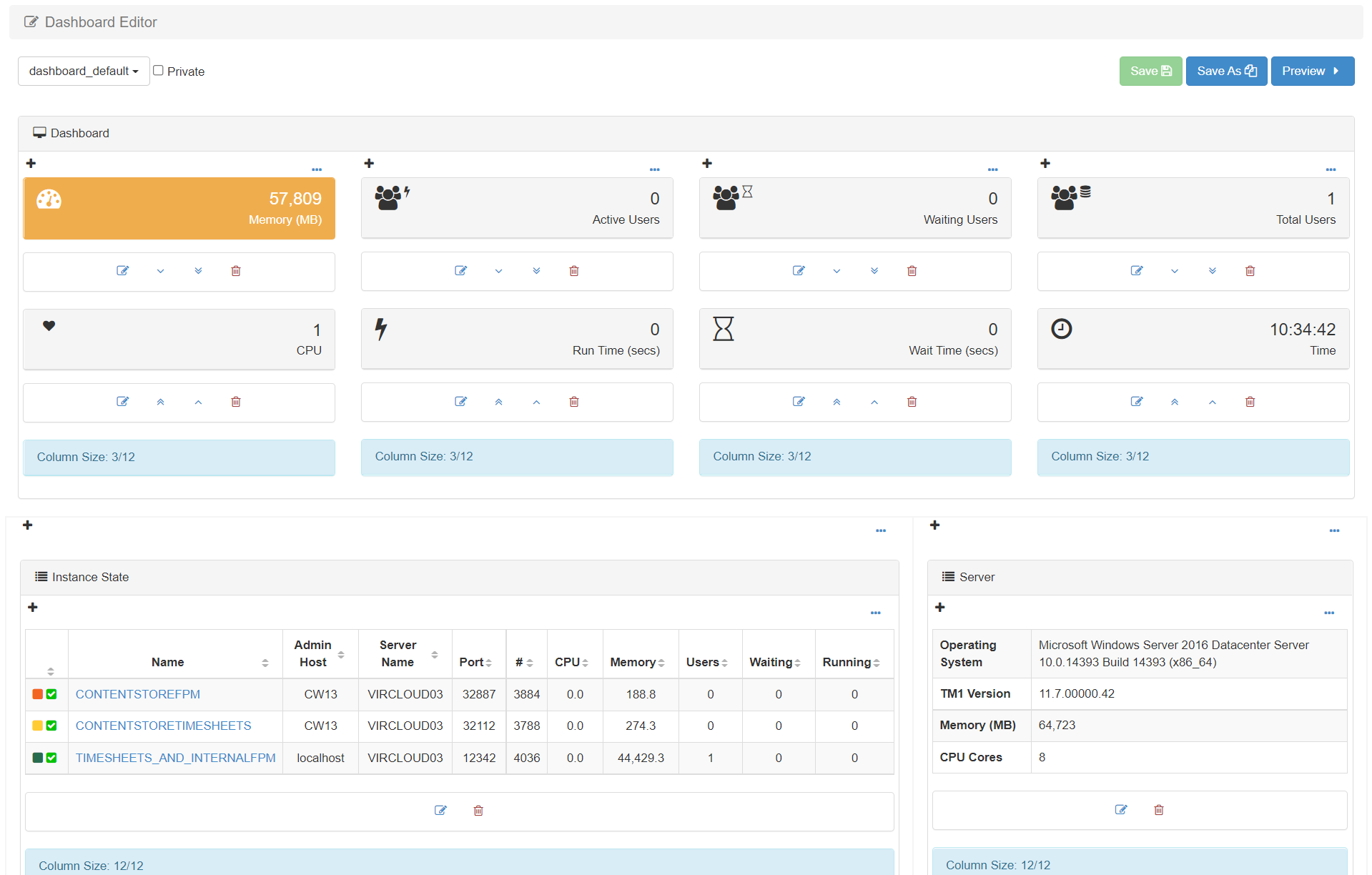
Pulse Dashboard Editor
The Dashboard Editor enables you to edit the default Pulse dashboard. For example, you could change the KPIs at the top or show all TM1 instances instead of just the one from the selected server.
-
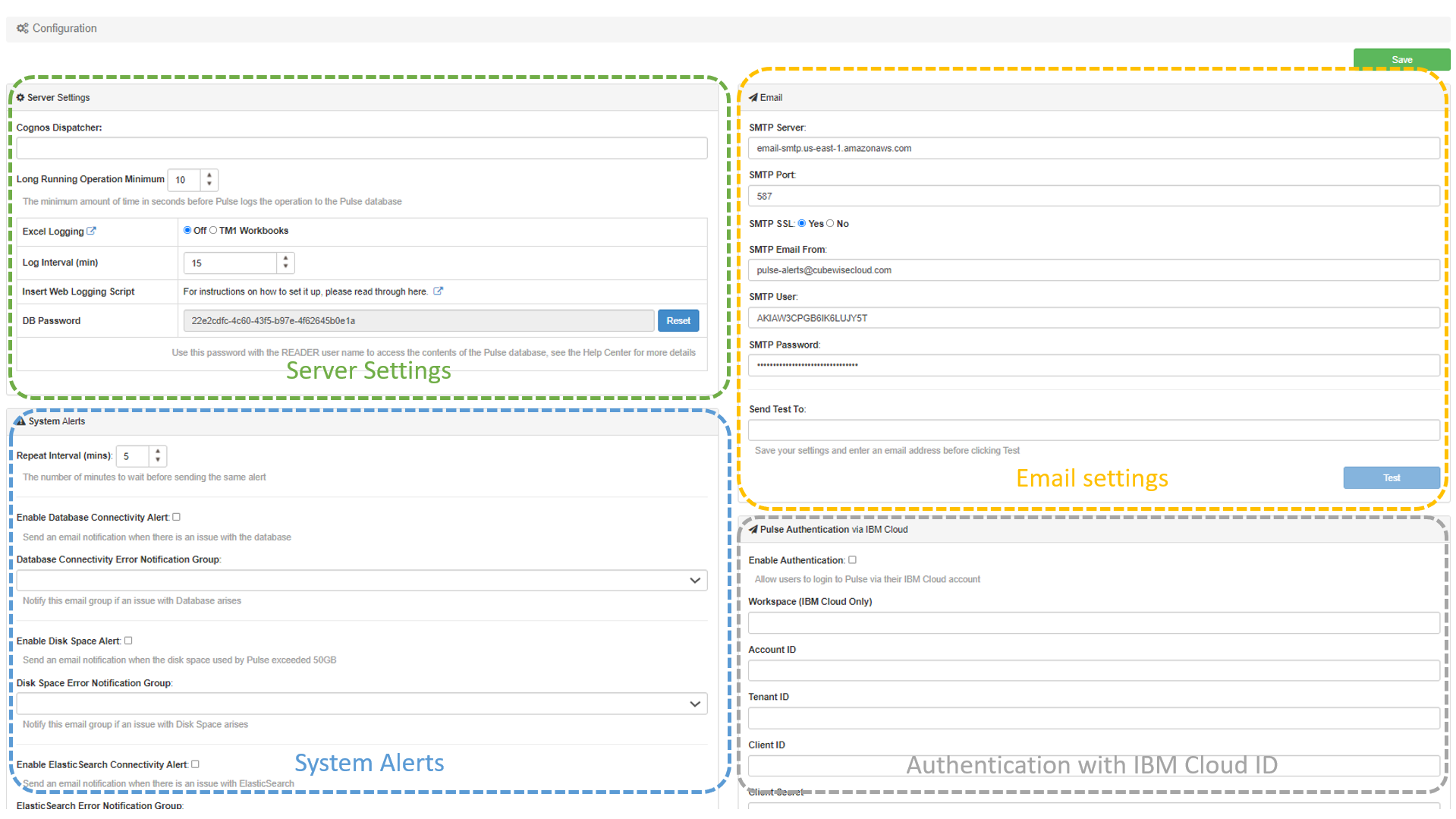
Pulse Configuration
The Configuration page can be split into four sections: