Category: Pulse
-
How to troubleshoot Pulse
aaa
-
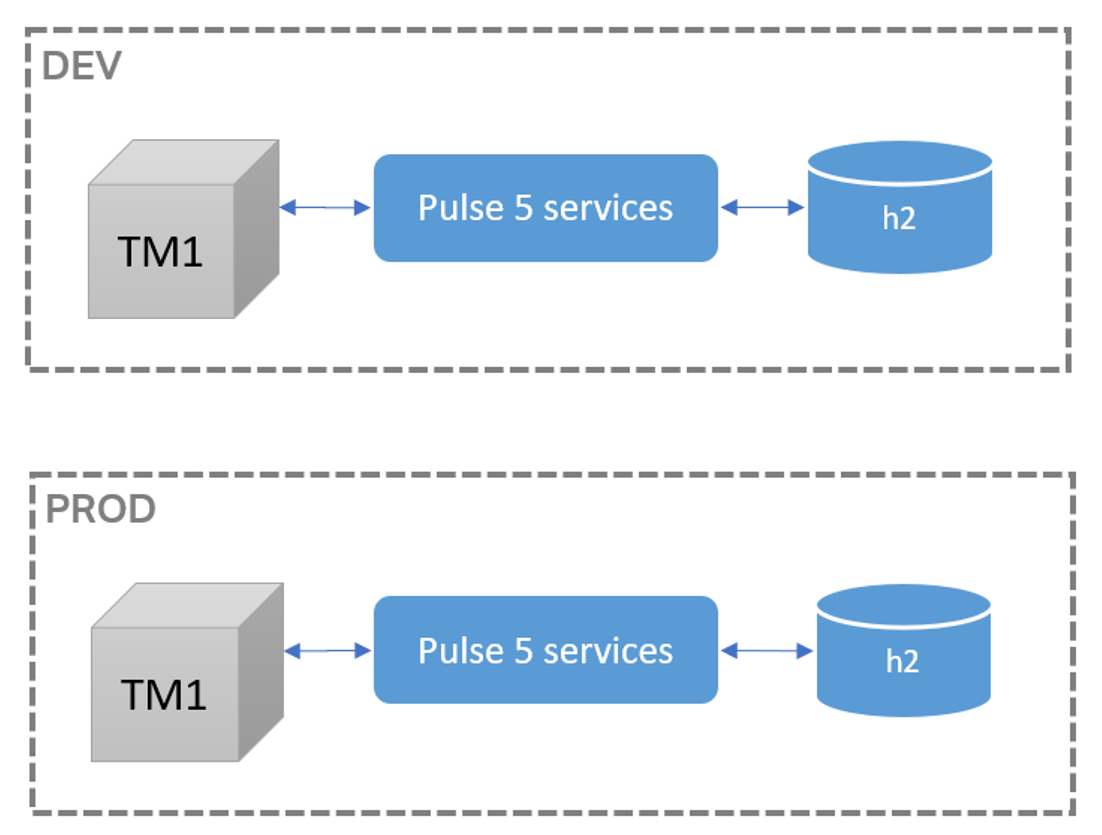
Things to consider when upgrading from Pulse 5 to Pulse 6
This article gathers everything you should know before upgrading from Pulse 5 to Pulse 6.
-
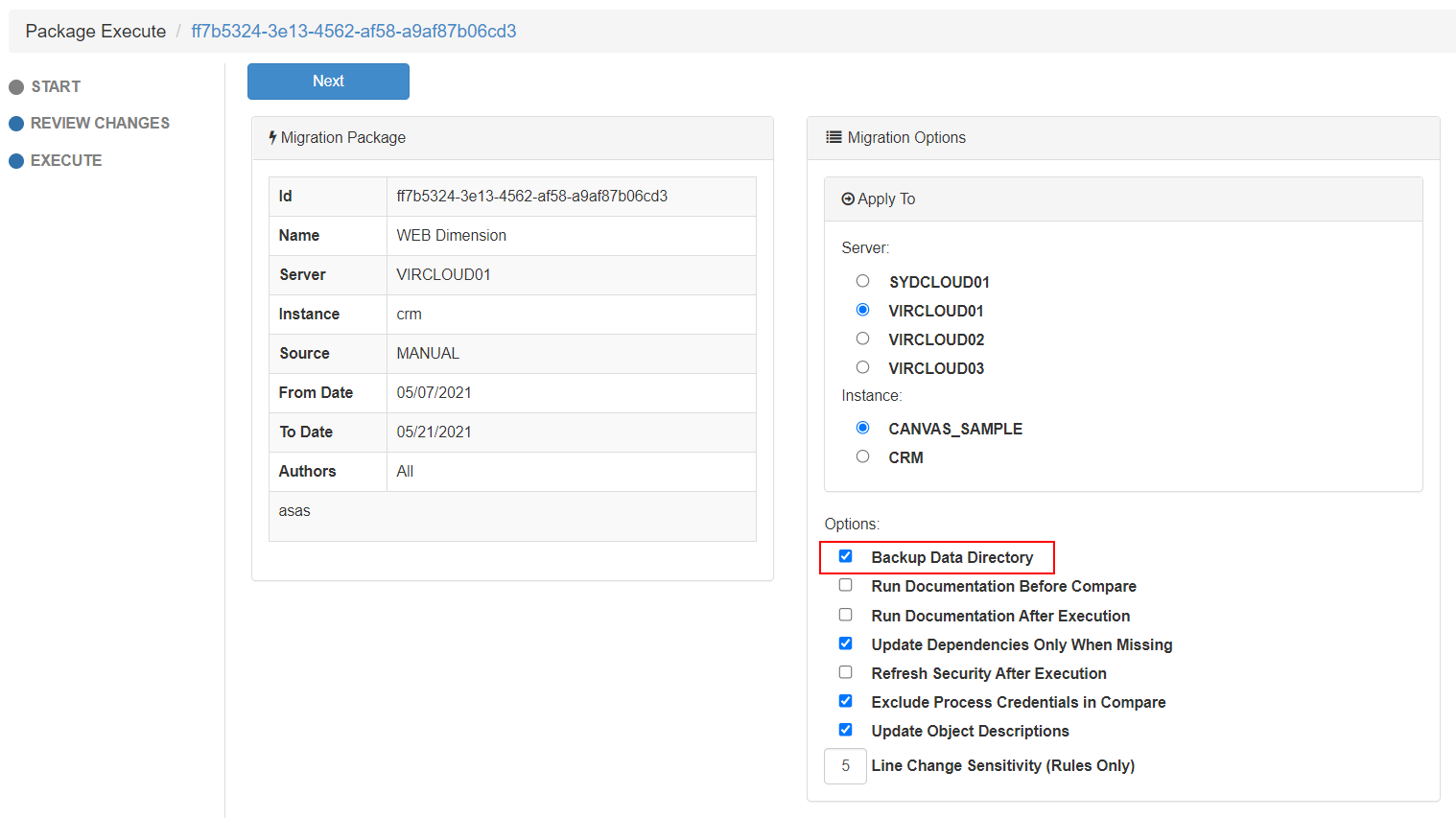
Backing up the TM1 data folder with Pulse
When executing a migration package, there is an option to Backup Data Directory.
-

What’s new in Pulse v6
This release is the most important release of Pulse since it’s creation in 2014. Pulse was optimized for the TM1 REST API, enabling one single application server to monitor many TM1 servers.
-
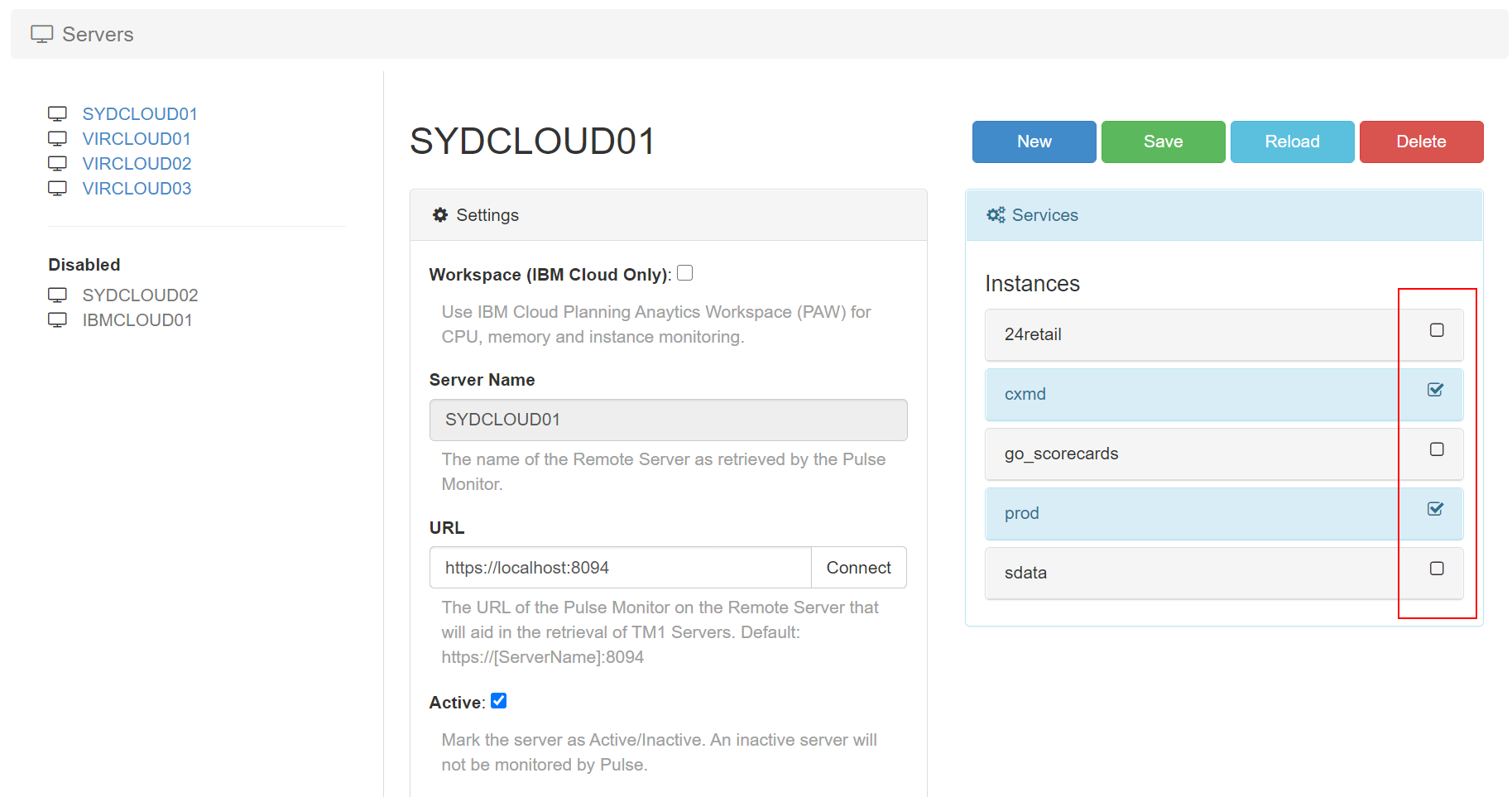
Choose which instance should be monitored by Pulse
Pulse v6.0.1 introduces a new Active flag per TM1 instance. By default all TM1 instances will be set to Active. Pulse monitors all TM1 instances with Active flag set to true.
-
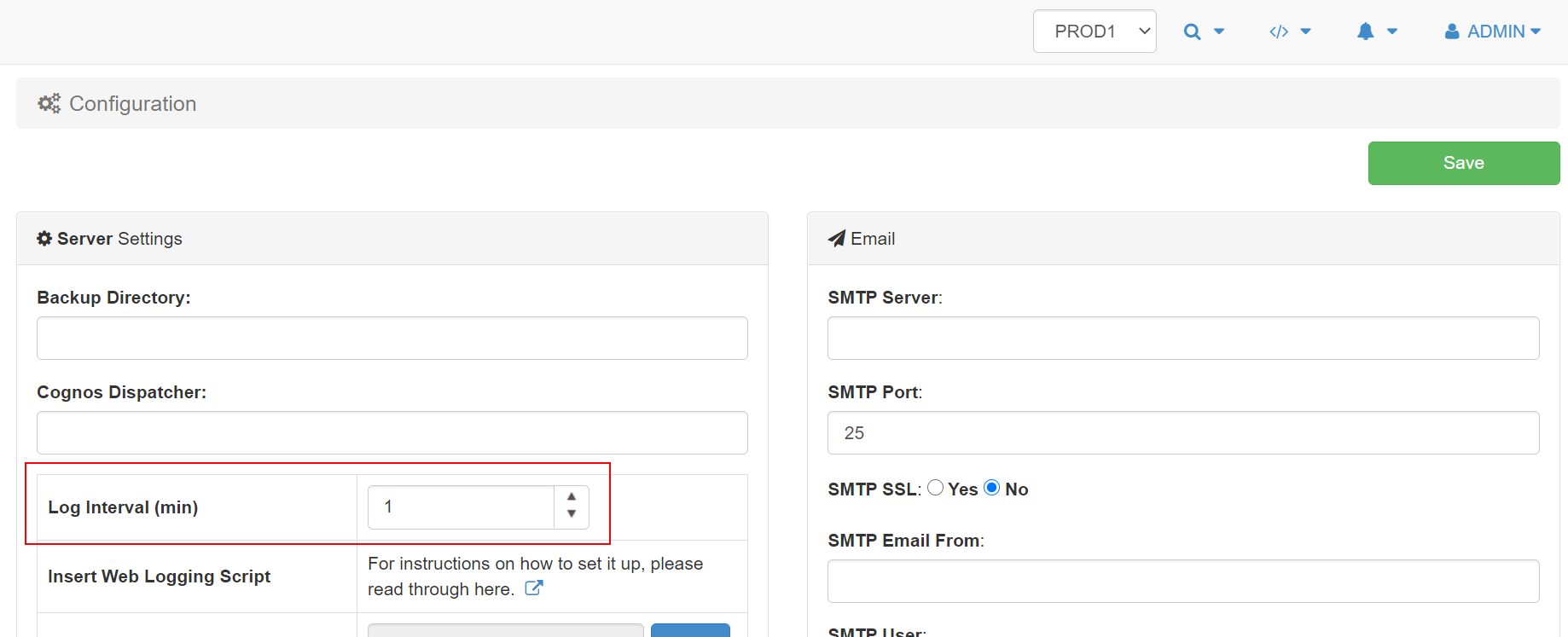
Set the maximum minutes of data cached in the browser
By default Pulse keeps 15 min of history in the browser to enable the playback feature from the Live Monitor page.
-
Configuring the Pulse Excel Logger
To set up Excel logging to Pulse you need to open the cwxtndxl.ini which is in the following folder:
-
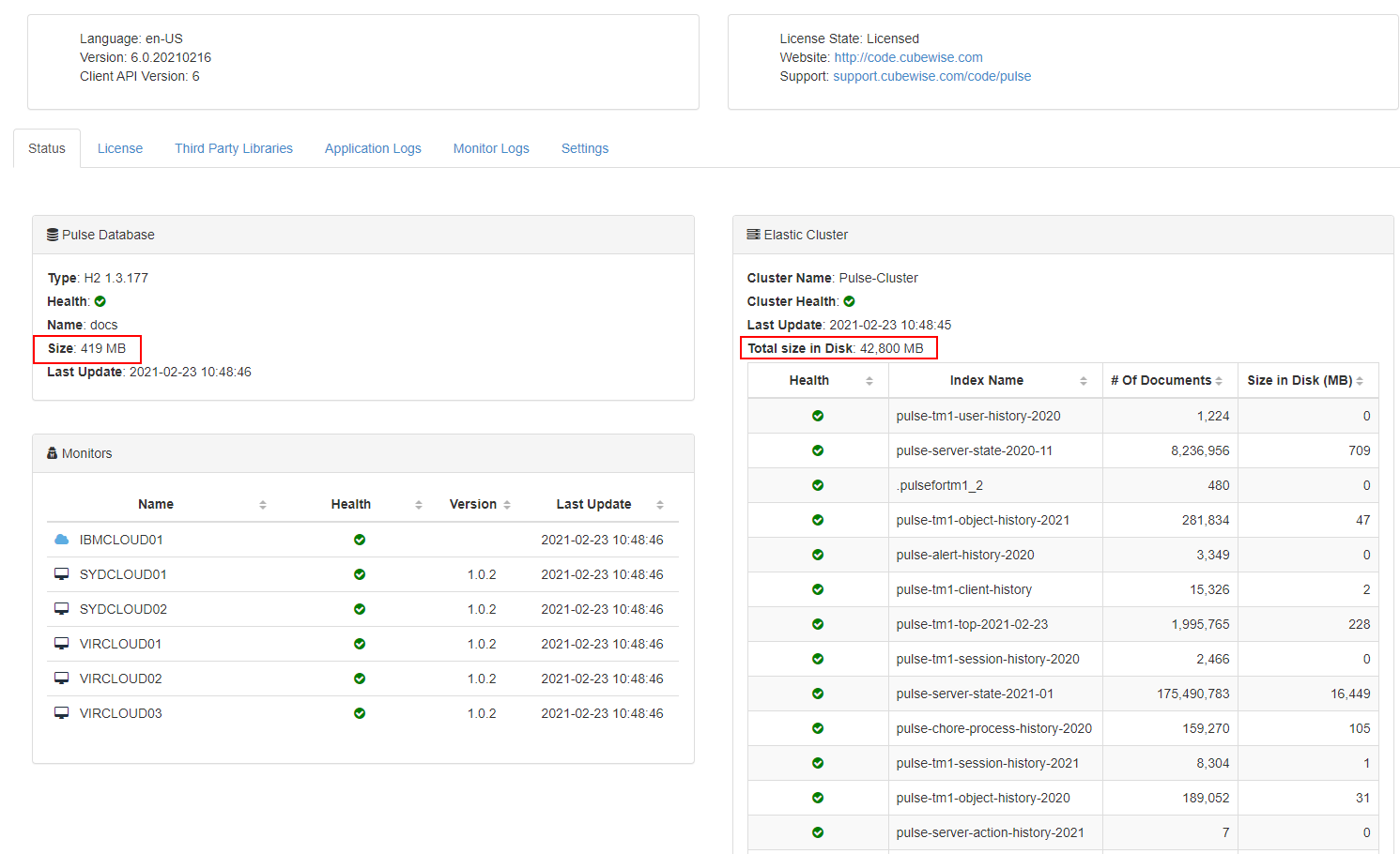
Storing the Pulse Elasticsearch data into another drive
Pulse is constantly tracking TM1 instances and it stores the data into two databases:
-
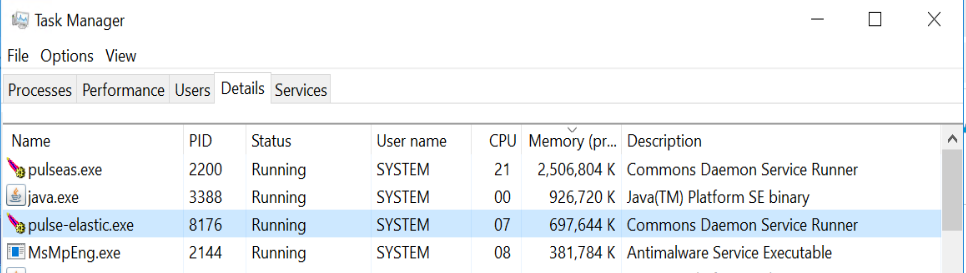
Updating the Pulse Elasticsearch JVM maximum memory
This article explains how to update the Pulse Elasticsearch maximum memory.
-
Ask TM1 questions of all kind
With IBM Planning