
Cubewise Atmosphere connects SAP S/4HANA directly to IBM Planning Analytics (TM1) to sync actuals and forecasts automatically.
See the SAP to TM1 pipeline in action: [Book a Specialist Demo]
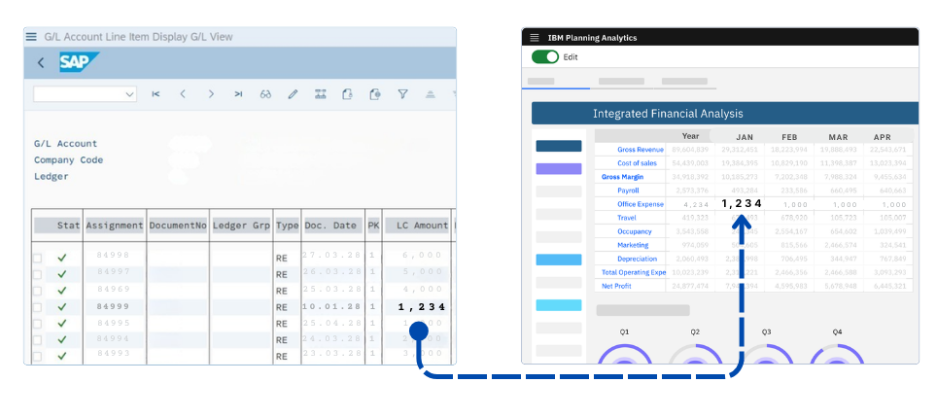
1. Finance-Led Automation
Cubewise Atmosphere eliminates the data prep phase of the financial close. No tickets, bottlenecks or waiting for IT.
- Model-Ready Data: Automatically generates drillable hierarchies like your Cost Centers in IBM Planning Analytics (TM1).
- IT Governed Self-Service: Finance users can securely trigger data syncs directly from TurboIntegrator (TI) processes and websheets, without burdening IT.
- Audit-Ready Logs: View execution logs and high-level dashboards directly inside the environment.
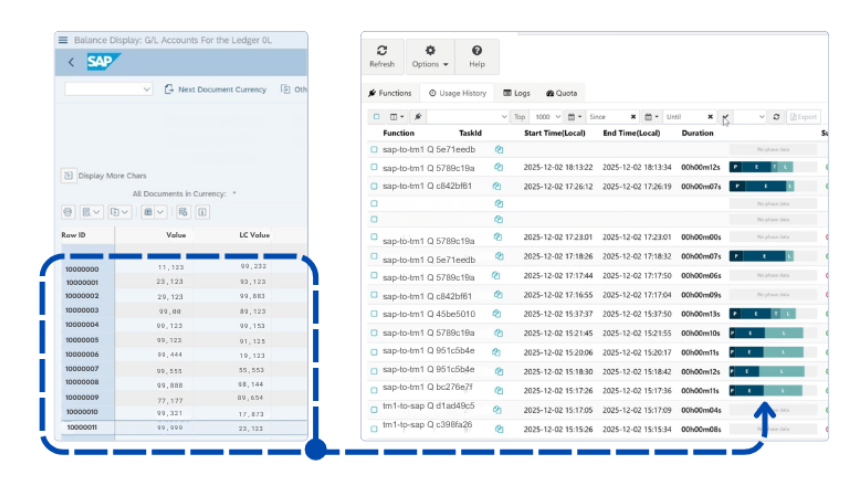
2. Architects: High-speed Performance
Avoid limitations of generic middleware with Cubewise Atmosphere’s data pipeline designed purely for SAPS4/HANA and IBM Planning Analytics (TM1).
- Speed: Extract, Transform and Load millions of rows complex SAP objects into IBM Planning Analytics (TM1) in minutes, at over 8,000 records per second end-to-end
- S/4HANA Native: Connect to standard OData APIs and custom CDS views
- Transform in Transit: Load SAP structures directly into IBM Planning Analytics (TM1) dimensions and cubes without staging, or intermediate storage
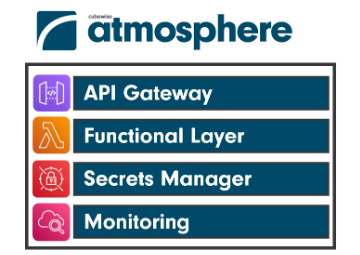
3. Security: Enterprise Governance
Designed for enterprise environments with strict data and compliance requirements. Maintain a clean core and zero-footprint data policy.
- Stateless Architecture: Atmosphere functions as a secure conduit. With zero footprint, no financial data is ever cached or stored.
- Respects Authorizations: All requests use encrypted HTTPS transport and respect existing SAP roles and permissions.
- IT Reliability: Replaces “black box” ETL scripts with a robust, supported framework that simplifies monitoring and root-cause analysis.
Basis Team: How to setup
The Basis team enables the pipeline through three steps:
- Enable OData Services: Confirm APIs (e.g., API_COSTCENTER_SRV) are accessible via HTTPS.
- Provision System User: Provide a non-dialogue service user with read-access to relevant API objects.
- Define Endpoints: Supply the API Endpoint URL and sap-client parameters.
See the SAP to TM1 pipeline in action: [Schedule your Specialist Demo]
Leave a Reply