Category: Configuration
-
Using SSL with Arc for TM1
In the Arc configuration file (<Arc folder>settings.yml), the parameter UseSSL (false by default) enables Arc to run using https (UseSSL: true) or http (UseSSL: false).
-
How to authenticate to TM1 with TM1py
This article explains the different authentication method to TM1 with TM1py:
-
Connecting to the IBM Cloud remotely with TM1py
In this article, we explain how you can use TM1py from your laptop/desktop and connect remotely to the IBM Cloud via the REST API.
-
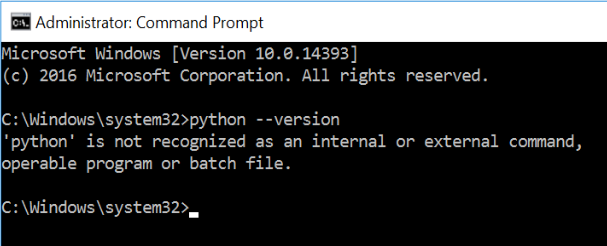
Installing TM1py
This article explains the steps to install TM1py. Installing TM1py will take you just few minutes.
-
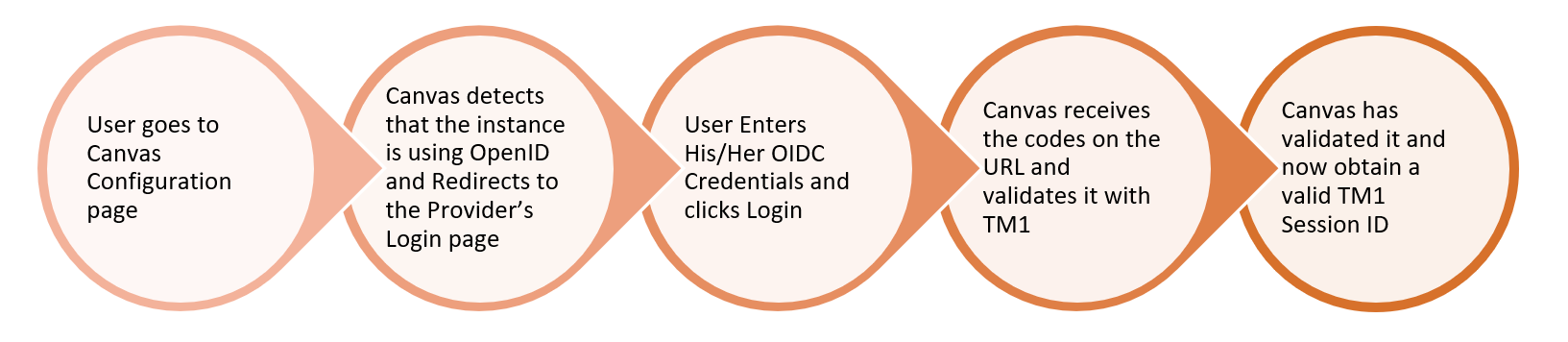
Setting up Open ID with Canvas
Canvas v3.2.0 can now connect to IBM Planning Analytics instances configured with Open ID authentication.
-
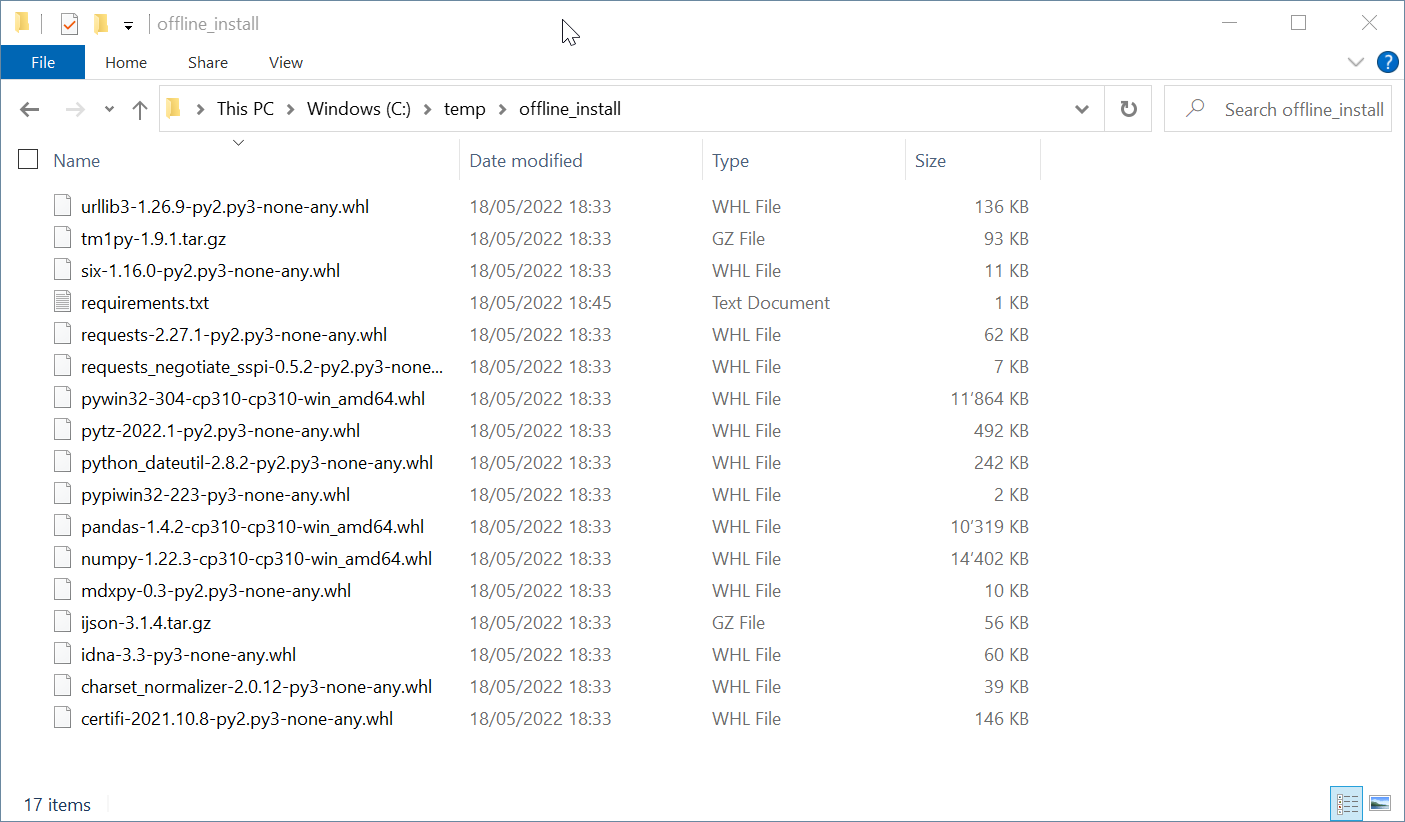
7 simple steps to install Python & TM1py without internet
It will return the path where Python is installed.
-
Canvas System Requirements
Server Requirements
-
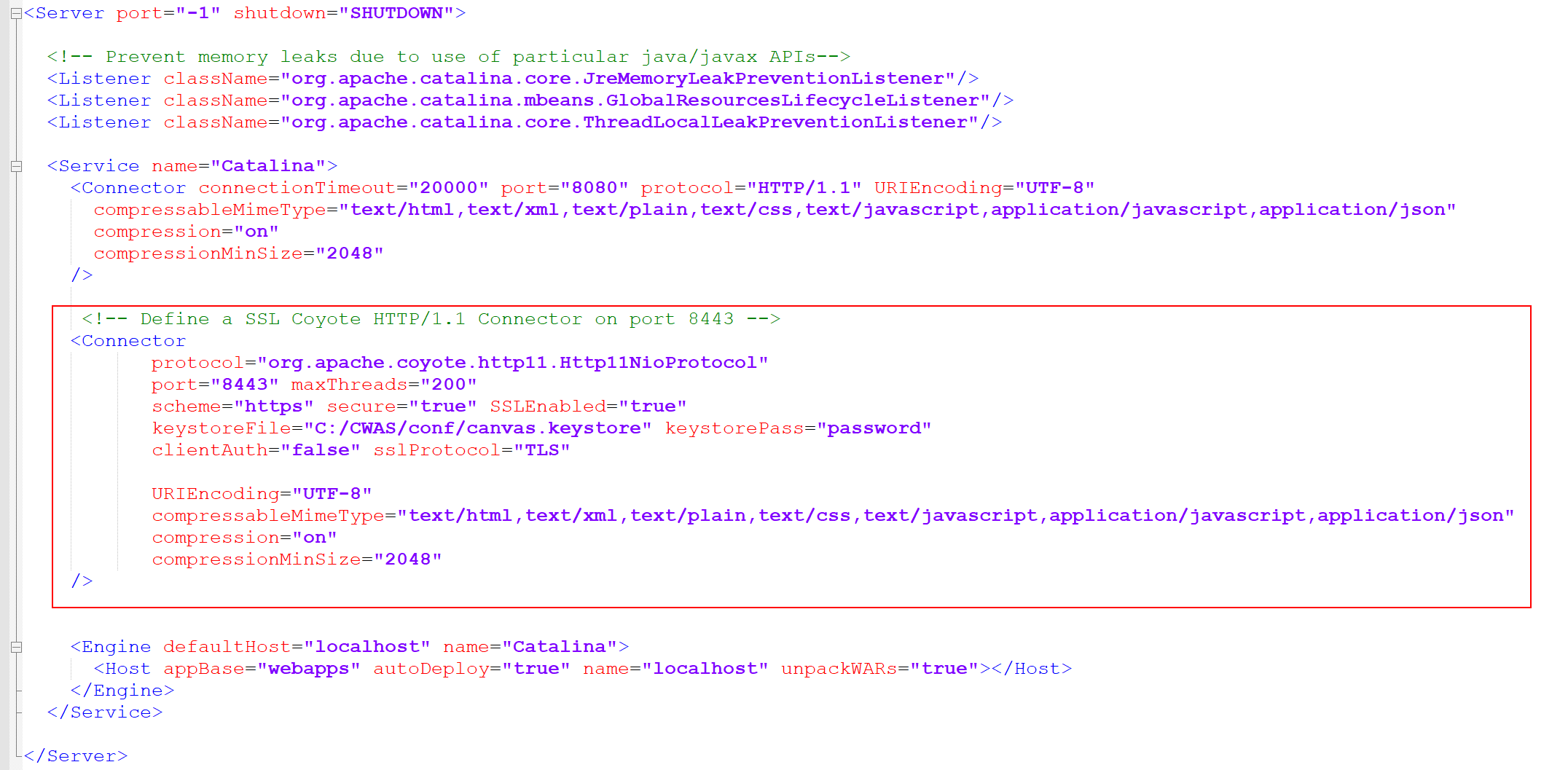
Using SSL with Canvas
You will need to add the following code between <Service and <Engine section:
-
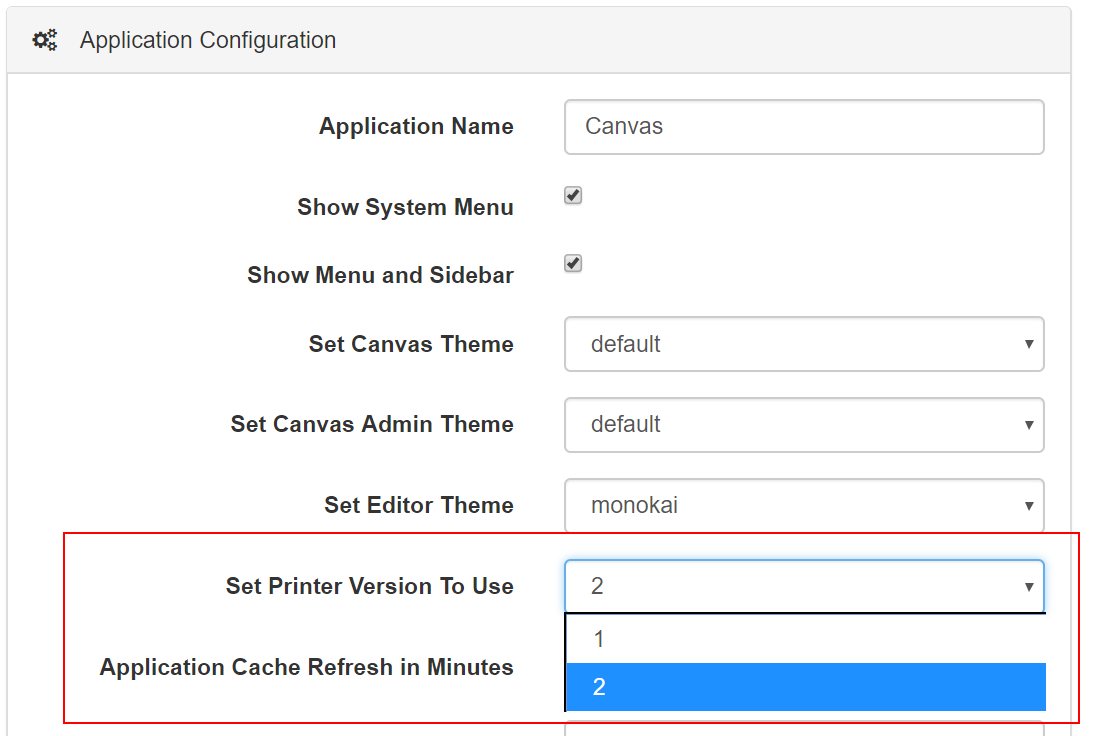
Set Printer Version to Use mode 2
Canvas v3 introduced a new printer version. By default, Canvas will now use this new printer version but if you prefer to go back to the first version of the printing you can change the printer version in your application Admin section:
-

Setup Cubike example
Cubike is a fictional Bike Sharing company that we use the series of articless about Data Science with TM1 and Planning Analytics: